Face-aware avatars

Your photo.
Ready for a profile.

Turn portraits into consistently framed avatars with face detection and a transparent ellipse mask.

ONE PHOTO. A PERFECT FIT.

A face in the crowd.
An avatar in one URL.

Find the face, choose the framing and turn a photo into a round avatar. Transparent corners are part of the image itself.

Explore face-aware avatarsBuild your avatar URL
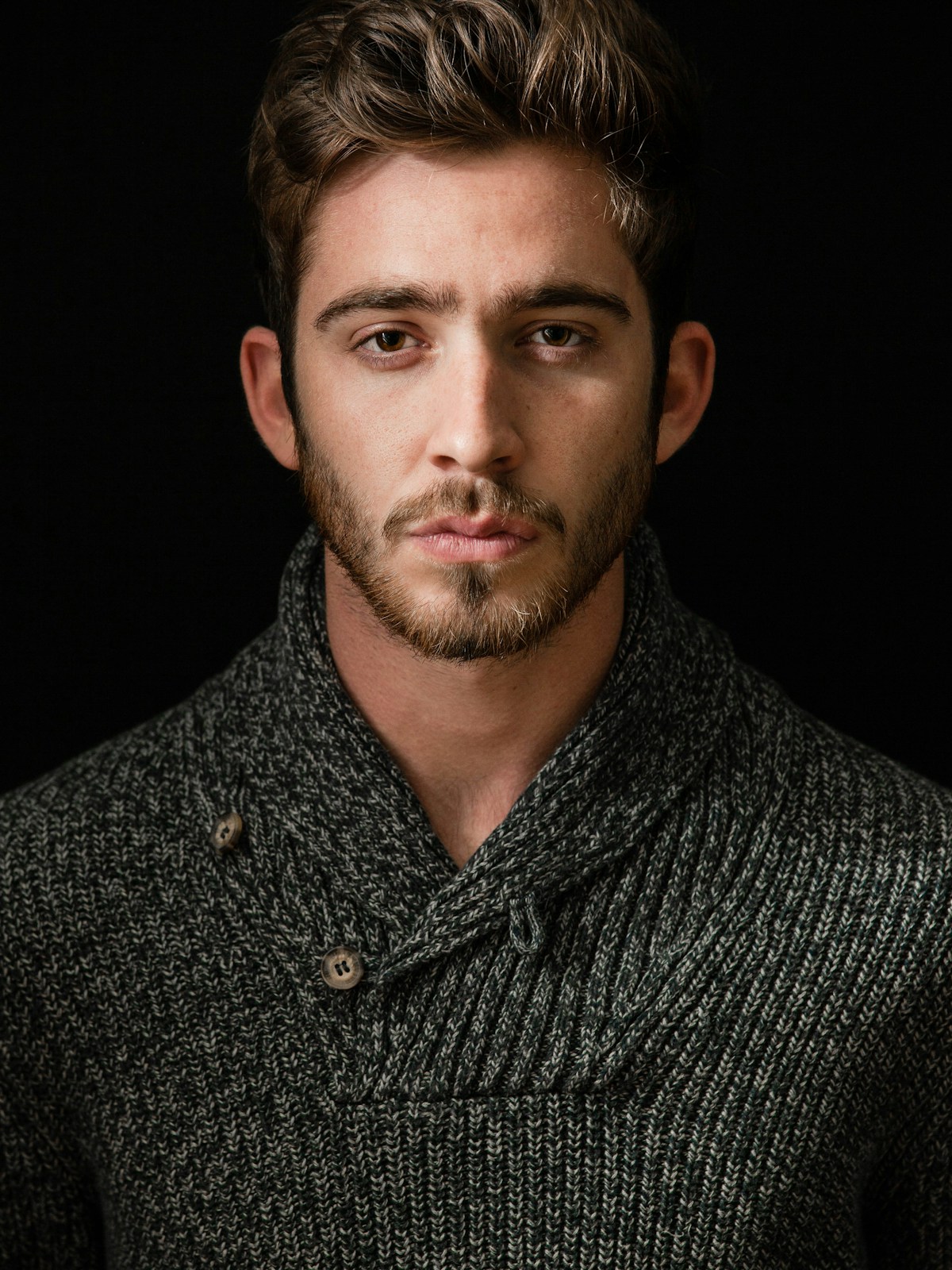
ORIGINAL
Original portrait before face-aware cropping
ONE URL
Round avatar cropped around the detected face, with transparent corners

Avatars from your photos

Face detection guides the crop. Adjust the padding, then mask the result to a circle with equal width and height.

?w=400&h=400&fit=facearea&facepad=2&mask=ellipse&fm=png
Open the actual PNG ↗

This demo reuses detected face coordinates for the bundled portrait. Your source images use face detection on the first analysis.

Try circular profile photos in the Playground

Choose the face. Keep the context.

The largest detected face is selected by default. Use faceindex to select another face and facepad to add breathing room. If no face is found, the request returns an explicit error so you can choose a manual crop.

PNG, WebP and AVIF preserve transparent corners. JPEG fills them with your background color. Face detection locates faces; it does not identify people.

Big on images.
Light on everything else.

Let’s build a simpler image pipeline for your next million requests.

Enterprise image optimization. Built for scale.